
Quest 3 Link Cable vs Wireless PCVR: Which Is Better?
Use a Link Cable for the simplest wired PC connection and continuous power. Choose wireless PCVR when freedom of movement matters and you can put a dedicated Wi-Fi 6E router near the play area. This guide separates the transport decision from the router-buying decision.
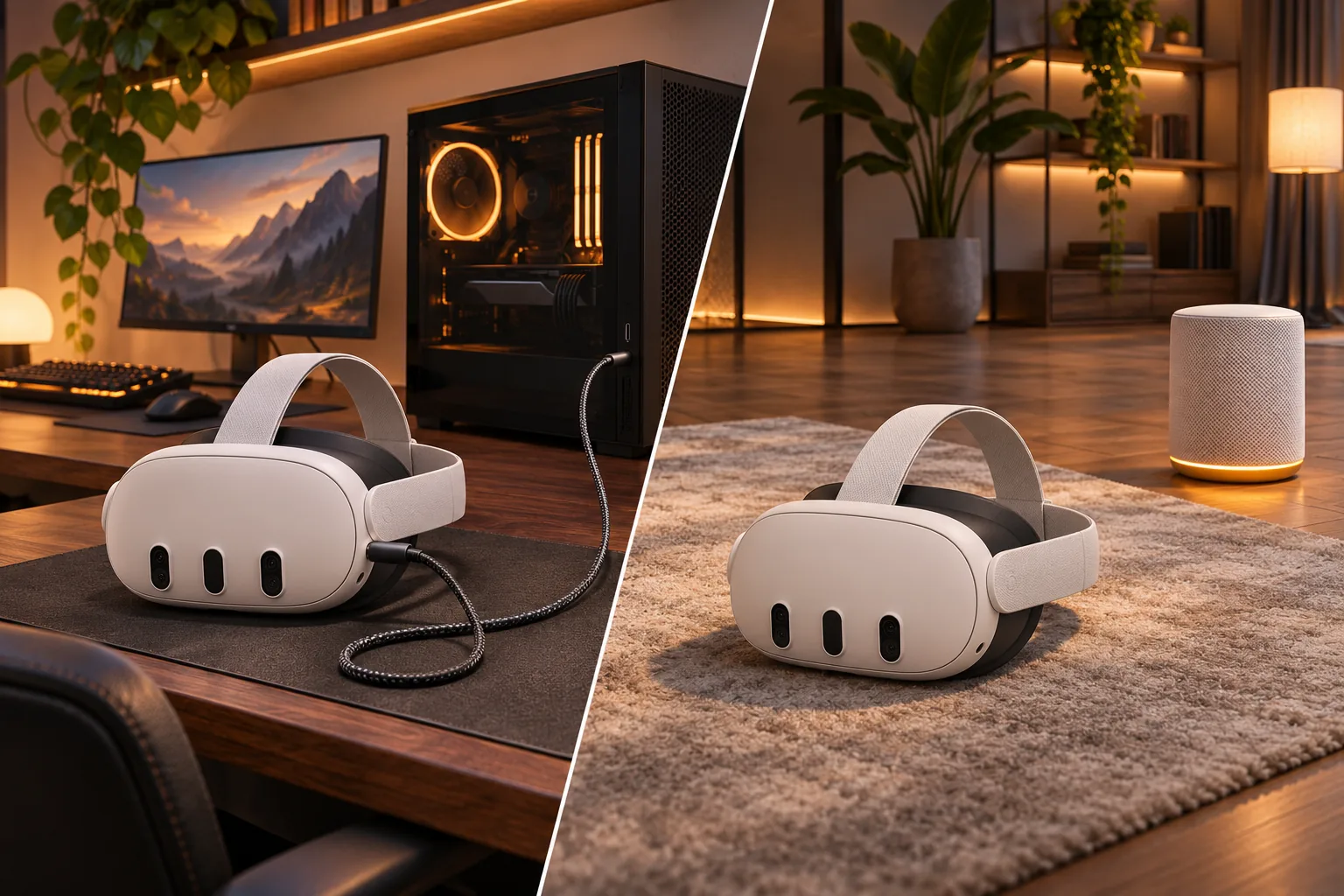
Quest 3 Link Cable vs wireless: what changes?
A Link Cable changes the physical transport between the Quest 3 and gaming PC. Wireless PCVR removes that cable but replaces it with a real-time Wi-Fi path. Neither method is universally better: they solve different comfort, power and network constraints.
| What matters | Quest 3 Link Cable | Wireless PCVR |
|---|---|---|
| Freedom of movement | Limited by the cable | Full movement inside reliable Wi-Fi coverage |
| Power | Continuously supplied by the connection | Headset battery limits session length |
| Setup | Direct connection to a compatible gaming PC | Wired PC, compatible router and PCVR streaming software must work together |
| Troubleshooting | Eliminates Wi-Fi congestion and router placement | Adds signal strength, channel, airtime and network-routing variables |
| Best fit | Long seated sessions and the most predictable connection | Room-scale movement when the play area has a clean Wi-Fi path |
What does the Quest 3 Link Cable do?
The Link Cable connects a compatible Quest headset to a gaming PC so PC-powered VR games and applications run on the computer rather than on the headset. Meta describes its Link Cable around that direct PC-to-headset role. Use certified or adequately rated cable hardware, and verify that the PC port and charging behavior match the accessory requirements.
- Choose a cable when predictable latency and continuous power matter more than a tether
- Use the PC connection to remove Wi-Fi from the link between PC and headset
- Check cable length because a short cable can restrict room-scale movement
- Recognize that the PC's GPU, encoder and USB connection still affect the experience
If the cable is present but the PC does not detect Quest 3, use the dedicated Quest 3 Link Cable troubleshooting guide to check data support, USB ports, drivers and power.
How does wireless Quest 3 PCVR work?
Wireless PCVR streams frames from the gaming PC to Quest 3 over the local network. Air Link and Virtual Desktop provide different software paths to that local stream. The internet connection is not the main path: the important link is between the wired PC, the router and the headset in the same home.
A fast internet plan cannot compensate for a weak router-to-headset signal. Test sustained latency, dropped frames and stability in the exact play area.
What does wireless Quest 3 require?
| Requirement | Why it matters |
|---|---|
| Quest 3 on the expected Wi-Fi band | Confirm the headset joined the 5 GHz or 6 GHz network you intended to test |
| Gaming PC connected by Ethernet | A wired PC leaves only one Wi-Fi hop between the PC and headset |
| Router near the play area | A strong upstream path is required before a clean wireless stream is possible |
| Virtual Desktop or Air Link configured | The PC and headset need the supported software path and network access |
| Stable, uncongested channel | Latency and packet loss matter more than the router's combined speed rating |
Virtual Desktop's official setup guidance requires the computer to be wired to the router and recommends a 5 GHz 802.11ac or newer Wi-Fi router. Wi-Fi 6E adds the 6 GHz band when both the router and headset support it, which can reduce contention in crowded homes. Read the Kevin Wi-Fi 6E router guide for the complete PCVR setup, then compare Virtual Desktop, Steam Link and Air Link if the remaining question is which software route to use.
How do you set up Minions Kevin for wireless Quest 3?
1. Put the router near the play area
Keep the router and gaming PC as close to the normal headset position as practical. Same-room placement is the strongest starting point for 6 GHz.
2. Wire the gaming PC
Connect the PC to Kevin's gigabit LAN port. Do not put both the PC and headset on Wi-Fi if you can avoid the second wireless hop.
3. Create a dedicated 6 GHz SSID
Enable the 6 GHz radio and give it a separate network name. Join only Quest 3 and other Wi-Fi 6E devices to that SSID.
4. Start with a stable streaming setting
Launch Air Link or Virtual Desktop on the PC and headset, then establish a stable connection before increasing bitrate, codec demand or refresh rate.
5. Test the real play area
Play a sustained session where you normally use the headset. Compare a lower stable bitrate with a higher setting that causes stutter or dropped frames.
The general cable and mesh setup is covered in the Minion router setup guide. For broad gaming settings, read the Kevin gaming router guide.
Does Wi-Fi 6E make wireless as good as a Link Cable?
Wi-Fi 6E can remove the cable and deliver a strong wireless PCVR experience in the right room, but it does not reproduce a wired connection's fixed physical path. The answer depends on placement, congestion, headset orientation, bitrate and PC performance. A nearby 6 GHz connection can be excellent for movement-heavy play, while a cable remains the more predictable choice for long sessions and troubleshooting.
- Choose wireless when a tether materially limits how you play
- Choose the cable when network variables are causing unstable sessions
- Do not compare a weak wireless test with a working cable and conclude that Wi-Fi itself is unsuitable
- Test using the app, bitrate and room where you will actually play
Which router fits wireless Quest 3?
Kevin is the lowest-cost nearby option in this comparison. Choose another router only when its ports, ecosystem or wider mesh coverage solves a specific problem.
| Setup need | Better fit | Why |
|---|---|---|
| Nearby Quest 3 PCVR on a budget | Minions Kevin | Dedicated 6 GHz band, 2.5GbE WAN and one wired LAN port; read the Quest 3 router guide |
| More Ethernet and USB at the gaming desk | ASUS RT-AXE7800 | More wired ports and USB; compare Kevin vs RT-AXE7800 |
| Ready-made three-node coverage | TP-Link Deco XE5300 | A three-node Wi-Fi 6E mesh; compare Kevin vs Deco XE5300 |
| App-first eero mesh | eero Pro 6E | Managed mesh ecosystem with smart-home radios; compare Kevin vs eero Pro 6E |
See every shortlisted model in the Minion Router alternatives guide. Confirm current Kevin pricing and the full radio and port specifications before buying.
Where do these recommendations come from?
Meta documents the Quest Link Cable as a connection to a compatible gaming PC and provides the Meta Quest PC setup route for Link and Air Link. Meta's Quest 3 product page documents its Wi-Fi 6E support. Virtual Desktop publishes the same-network and wired-PC requirements used in this guide.
Kevin's radio and port facts come from this site's specs page and the product listing. Independent context comes from RTINGS, which describes strong nearby performance and reduced range at distance. These sources inform the decision framework; they do not guarantee identical performance in every room or application. Once wireless is the choice, compare Quest 3 Wi-Fi 6 vs 6E for the 5 GHz versus 6 GHz decision.
Key takeaways
- Link Cable is the most predictable choice for wired PCVR and continuous power
- Wireless PCVR is the comfort choice when the play area has a strong local Wi-Fi path
- Keep the gaming PC on Ethernet for either Air Link or Virtual Desktop
- Use a dedicated 6 GHz SSID when both Quest 3 and the router support Wi-Fi 6E
- Kevin is a budget wireless option for nearby PCVR, not a guarantee of cable-equivalent latency
Frequently asked questions
Is a Link Cable better than wireless for Quest 3?
A Link Cable is more predictable for PCVR because it removes Wi-Fi from the connection and supplies continuous power. Wireless is better when freedom of movement matters and the router provides a strong local Wi-Fi path.
Can Quest 3 do wireless PCVR without a router?
Quest 3 needs a local network path between the gaming PC and headset for Air Link or Virtual Desktop. A suitably configured router is normally the practical way to provide that local connection.
Is Wi-Fi 6E better than a Quest 3 Link Cable?
Wi-Fi 6E can be a strong wireless choice when the router is nearby and the PC is wired, but it does not guarantee cable-equivalent latency. The better choice depends on comfort, room conditions, bitrate and the PC hardware.
Should the gaming PC be wired for Air Link or Virtual Desktop?
Yes. Connect the PC to the router by Ethernet. A wired PC leaves only one Wi-Fi hop between the computer and Quest 3 and makes latency and packet loss easier to diagnose.
Does the Minions Kevin support wireless Quest 3 PCVR?
Kevin can provide the local Wi-Fi network for Quest 3 PCVR when its 6 GHz band is enabled, the PC is wired, and Air Link or Virtual Desktop is configured correctly. Nearby placement is required for the strongest result.
Does Link Cable charge Quest 3 while playing?
A suitable Link Cable and PC connection can supply power during play. Actual charging behavior depends on the cable, PC port and headset power demand, so verify compatibility for your exact hardware.
Which is better for room-scale VR?
Wireless PCVR is usually more comfortable when the play area has a clean 6 GHz signal, because no cable limits movement. Keep the router near the play area and test a sustained session before committing.
Build the wireless PCVR setup
The Minions Kevin starts at $102.99 with free 3–5 day US shipping and 30-day returns.