
Is the Kevin Router a Modem? Router, Modem and ONT Setup
Short answer: no. The Minions Kevin is a Wi-Fi router — it builds your network and shares the connection — but it does not translate your ISP's signal. Your existing modem or fiber ONT stays in front of it, and the Kevin plugs into that device through its 2.5GbE WAN port. Here is what each box actually does, and how they connect.
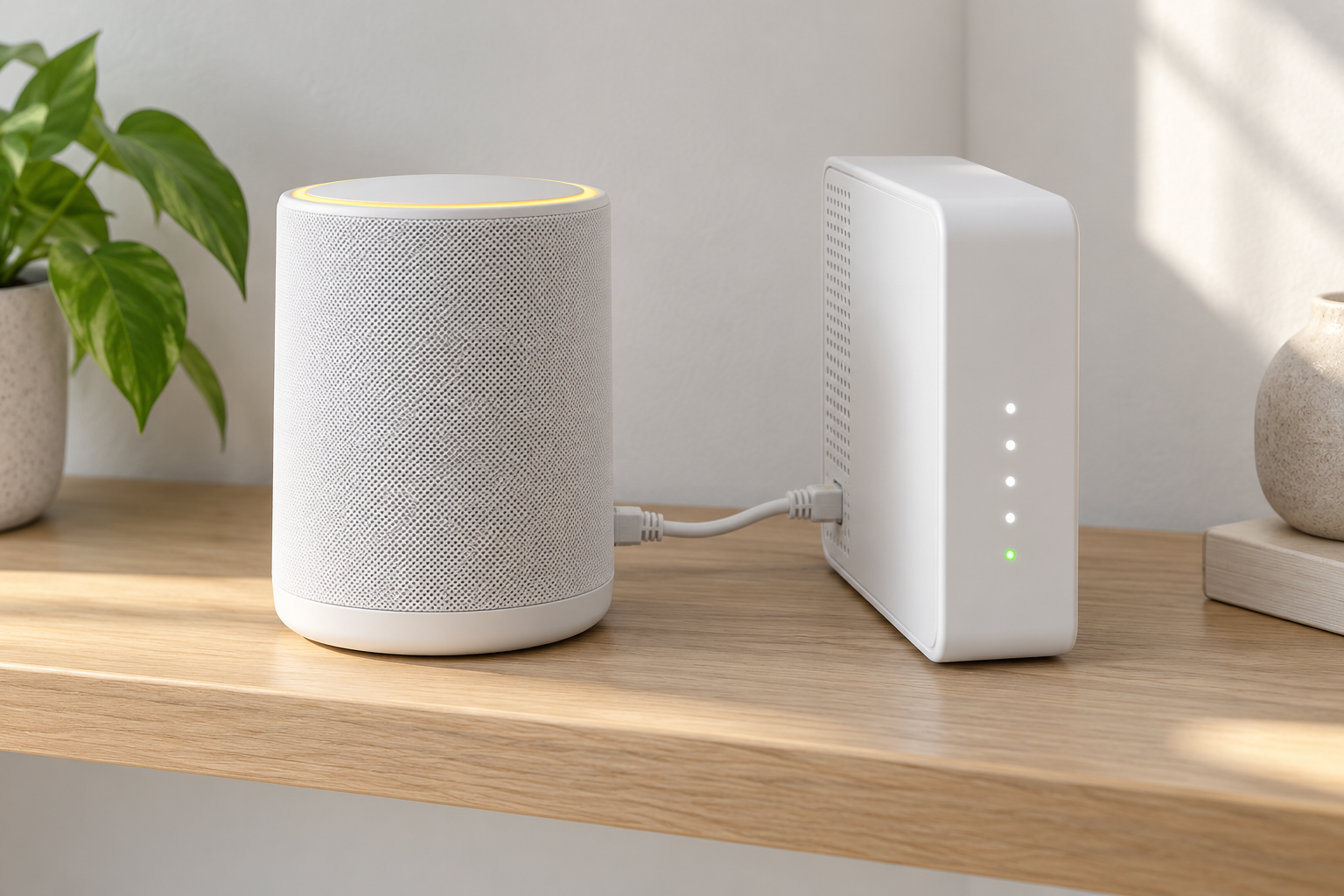
Modem vs router: what each box does
| Box | Its job | Typical examples |
|---|---|---|
| Modem / ONT | Translates the ISP line (cable, fiber, DSL) into standard Ethernet | Cable modem, fiber ONT box |
| Router (the Kevin) | Creates the Wi-Fi network and routes traffic between your devices and the internet | Minions Kevin, most Wi-Fi routers |
| Combo gateway | Both jobs in one box, supplied by some ISPs | ISP-branded modem-routers |
The Kevin covers the router half of the chain: three Wi-Fi bands including 6 GHz, a 2.5GbE WAN port and WPA3 security for your network. The modem half — converting the ISP's physical line into Ethernet — is a job the Kevin simply does not include. Full hardware details are on the spec sheet.
Connecting the Kevin to your modem or ONT
1. Keep your modem or ONT
Leave the ISP box connected to the wall (coax, fiber or phone line) exactly as it is.
2. Run one Ethernet cable
From the modem or ONT Ethernet port to the Kevin's 2.5GbE WAN port. The cable is in the box.
3. Power on the Kevin
The router boots on its own — wait for the status light to settle.
4. Set up Wi-Fi
Finish in the app: network name, password and enabling the 6 GHz band. The setup guide has the full walkthrough, and the manual covers app or web admin.
Which modem or ONT does your internet connection need?
| Internet type | Device before Kevin | Important check |
|---|---|---|
| Cable internet | DOCSIS cable modem | Use a modem approved by the ISP and rated for the subscribed speed |
| DSL internet | DSL modem | Confirm the line type and ISP-compatible modem |
| Fiber-to-the-home | Fiber ONT | The ONT converts fiber to Ethernet; match the 2.5GbE port only if the plan exceeds 1Gbps |
| Ethernet already delivered | No separate modem may be needed | Connect the active Ethernet port to Kevin's WAN only when the building or ISP permits it |
| ISP combo gateway | Modem and router in one box | Choose bridge mode or knowingly accept double NAT |
Kevin cannot replace any of the first four physical-line devices. It takes the Ethernet they provide and handles routing, Wi-Fi and LAN clients. The type of Ethernet port available from the modem, ONT or wall jack is therefore more important than the AXE5400 label when planning the connection.
If your ISP gave you a combo modem-router
- Best: switch the combo to bridge mode — it then acts as a pure modem and passes the internet to the Kevin with no double routing
- Also works: leave the combo as-is and plug the Kevin into it — your Wi-Fi comes from the Kevin, while the combo keeps routing underneath (double NAT)
- Double NAT is fine for browsing, streaming and gaming; it only complicates inbound setups like hosting a public server
- Bridge mode steps vary by ISP and model — search your exact combo's name plus bridge mode
How can you tell whether you have a modem, router or gateway?
Follow the physical cable. The device connected to coax, DSL or fiber is the modem or ONT. The device creating your Wi-Fi network is the router. A single ISP box that connects to the line and also broadcasts Wi-Fi is a gateway with both jobs.
- Coax, phone-line or fiber connector: the device is acting as a modem or ONT
- Only Ethernet and Wi-Fi outputs: it may be a router, gateway or Ethernet handoff
- ISP login, Wi-Fi name and LAN ports in one box: likely a combo gateway
- Kevin connected after it by Ethernet: Kevin is the router, even if you turn off the ISP box's Wi-Fi
Does Kevin's 2.5GbE WAN require a special modem?
For internet speeds above 1Gbps, the modem or ONT also needs a 2.5GbE-class Ethernet port and the ISP plan must support that rate. A 2.5GbE WAN on Kevin cannot make a gigabit modem or slower plan faster. On a standard gigabit-or-slower connection, the link negotiates at the available rate.
Check the exact modem or ONT model and the ISP plan before buying a faster router for the WAN port alone. The Kevin specs detail the router side; the ISP or line owner controls the modem side.
When you do need a new modem
- Your ISP line is too fast for an old modem (e.g. a DOCSIS 3.0 unit on a multi-gig plan)
- The ISP requires a specific certified model on their network
- You currently rent the modem and want to stop paying the monthly fee — buy your own, then connect the Kevin to it
- If your internet already arrives as Ethernet (some fiber installs, campus housing), you may not need a modem at all — plug the Kevin straight into the wall port
The Kevin is a router through and through — swapping modems never requires swapping the Kevin. Whatever box feeds it Ethernet, the Kevin handles everything after that. If there is still no internet, use the troubleshooting guide.
What should you check if the modem is online but Kevin has no internet?
1. Confirm the modem or ONT is online
Use the ISP device's status lights or management page before diagnosing Kevin.
2. Check the Ethernet path
The cable must run from the modem or ONT output to Kevin's 2.5GbE WAN port, not a LAN port.
3. Test a wired client
If possible, connect a computer to Kevin's LAN port to separate a WAN problem from Wi-Fi configuration.
4. Check for double routing
An ISP gateway that still routes can create double NAT. It usually still provides internet, but port forwarding becomes more complex.
5. Move to guided troubleshooting
Use the Minion router troubleshooting guide before resetting Kevin or changing ISP equipment.
Need more coverage or more wired ports?
Kevin has one 1Gbps LAN port, so a modem upgrade does not solve a shortage of wired ports. Add an unmanaged gigabit switch, or compare routers with more Ethernet in the Minion Router alternatives guide.
For coverage, compare Wi-Fi extender mode with a compatible Minions mesh. For port-heavy alternatives, see Kevin vs ASUS RT-AXE7800, Kevin vs ASUS ZenWiFi ET9 or Kevin vs Nighthawk RAXE300.
Frequently asked questions
Is the Minions router a modem?
No. The Minions Kevin is a Wi-Fi 6E router — it creates your network and routes traffic, but it cannot connect to a cable, fiber or DSL line by itself. Your modem or ONT continues to handle that.
Can I replace my modem with the Minions router?
No — the Kevin has no coax, fiber or phone-line port, so it cannot take over the modem's job. Keep the modem (or ONT) and connect the Kevin to it with one Ethernet cable.
What is the difference between a modem and a router?
A modem brings the internet into the house by translating your ISP's line into Ethernet. A router shares that connection — creating the Wi-Fi network and directing traffic between your devices and the internet. The Kevin is the router half.
My ISP gave me a combo modem-router. Can I still use the Minions Kevin?
Yes. Put the combo in bridge mode and the Kevin takes over routing and Wi-Fi cleanly. If you keep the combo as-is, the Kevin still works — you just end up with double routing (double NAT), which is fine for everyday use.
What is bridge mode and do I need it?
Bridge mode turns a combo gateway into a plain modem: it stops routing and hands the internet straight to the Kevin. You do not strictly need it, but it avoids double NAT — recommended if you handle port forwarding or host game servers.
Does the Kevin work with fiber internet?
Yes — through your fiber ONT. The ONT converts the fiber line to Ethernet, and the Kevin's 2.5GbE WAN port plugs into it. That 2.5G port also means multi-gig fiber plans are not bottlenecked at the router.
Can the Kevin connect directly to a fiber or coax wall jack?
No. Kevin has no fiber, coax or DSL input. The line first needs an ISP-compatible modem or ONT that provides Ethernet. Kevin connects to that Ethernet handoff through its 2.5GbE WAN port.
Does a faster modem make Kevin's Wi-Fi faster?
Only when the internet plan and the modem or ONT Ethernet port are also suitable for the faster speed. Kevin's Wi-Fi still depends on the client, band, distance and interference, and its local LAN port remains 1Gbps.
Add Wi-Fi 6E to the modem you already own
The Minions Kevin plugs into your modem or ONT — from $102.99, free shipping in 3–5 days.