
Bob Router (Davolink Minions): Specs and Modes
Bob is the smaller, dual-band member of the Davolink Minions router family. It keeps Wi-Fi 6, a gigabit WAN and LAN port, repeater and WISP modes, and compatibility with Kevin for a Minions mesh. This guide separates Bob's real strengths from the features that belong only to Kevin.
What is the Davolink Minions Bob?
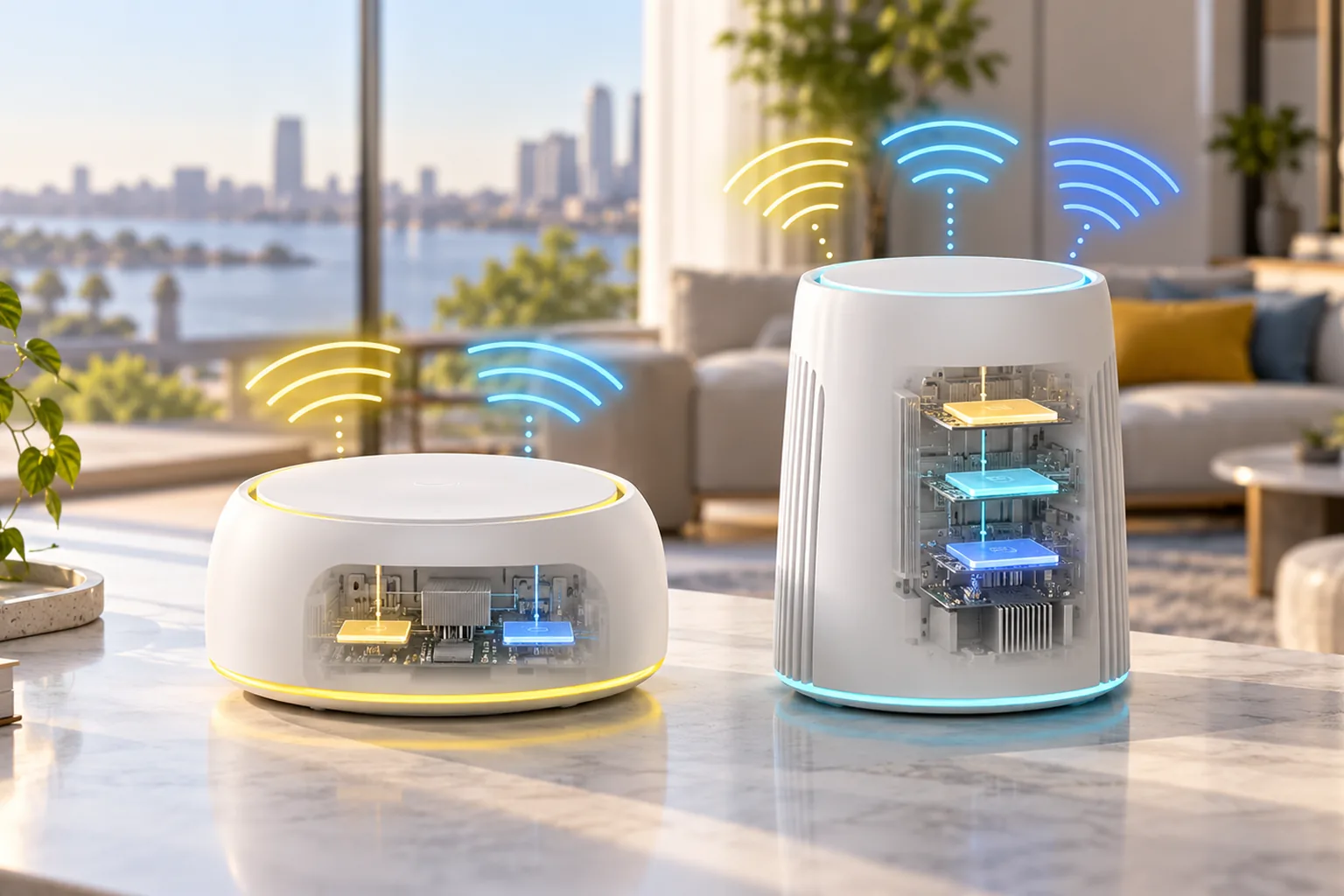
Bob is the smaller router in Davolink's officially licensed Minions networking line. Inside the character-inspired shell is conventional dual-band Wi-Fi 6 hardware. RTINGS describes a compact chassis with internal antennas rather than the taller, tri-band design used by Kevin.
- Wi-Fi 6 (802.11ax) on 2.4 and 5 GHz
- One 1 Gbps WAN port and one 1 Gbps LAN port
- Internal antennas tuned for dual-band operation
- Standalone router and repeater operation
- WISP mode for connecting to a compatible public Wi-Fi network
- Proprietary Davolink Minions mesh pairing with compatible hardware
The Davolink Minions router guide explains how Bob differs from Kevin at the product-family level. The Kevin vs Bob comparison is the direct buying decision.
How do you identify the Bob router?
Look for the model name Bob and a dual-band Wi-Fi 6 specification. The compact chassis is shorter and wider than Kevin's upright Wi-Fi 6E design. Bob's specifications list 2.4GHz and 5GHz only, one 1Gbps WAN and one 1Gbps LAN.
| Identifier | Bob | Kevin |
|---|---|---|
| Model name | Davolink Minions Bob | Davolink Minions Kevin |
| Wireless label | Wi-Fi 6 | Wi-Fi 6E |
| Bands | 2.4GHz and 5GHz | 2.4GHz, 5GHz and 6GHz |
| WAN | 1Gbps | 2.5GbE |
| Design | Compact dual-band body | Taller tri-band body |
Marketplace listings sometimes mix the character names. Check the model name, bands and WAN rate together. The Davolink Minions family guide covers the broader naming and model problem.
Is Davolink Minions Bob Wi-Fi 6 or Wi-Fi 6E?
Bob is Wi-Fi 6, not Wi-Fi 6E. Its radios use the 2.4 and 5 GHz bands, so it cannot create or connect to a 6 GHz network. Wi-Fi 6E devices such as Quest 3 can still use Bob on 5 GHz, but they lose the cleaner 6 GHz path that Kevin provides.
| Standard | Bob | What it means |
|---|---|---|
| Wi-Fi 6 | Yes | Uses 2.4 and 5 GHz with modern OFDMA and related efficiency features |
| Wi-Fi 6E | No | Bob has no 6 GHz radio |
| Wi-Fi 7 | No | No Wi-Fi 7-only features such as Multi-Link Operation |
For a phone, TV, console or older laptop that stays on Wi-Fi 6 or Wi-Fi 5, Bob's missing 6 GHz band is not automatically a problem. It becomes the wrong purchase when a Quest 3, recent laptop or other 6E device is the main reason for upgrading.
What are the Davolink Minions Bob specs?
| Specification | Davolink Minions Bob |
|---|---|
| Wireless standard | Wi-Fi 6 (802.11ax) |
| Bands | 2.4 GHz and 5 GHz |
| Antennas | Internal dual-band antennas |
| WAN | 1 × 1 Gbps |
| LAN | 1 × 1 Gbps |
| Router modes | Standalone router, repeater and WISP |
| Mesh | Compatible Davolink Minions hardware |
| External storage or LTE | Not supported by the reviewed hardware |
The shortcoming to notice before buying is wired flexibility. Bob has only one LAN port, and it is limited to gigabit speed. A desk with a gaming PC, console and NAS needs a switch or a router with more ports.
Specifications are based on the RTINGS Davolink Minions Bob review, checked 2026-11-01. Firmware features can change, so confirm the menus on the exact unit you receive.
How does the Minions Bob perform in independent tests?
RTINGS scored Bob 7.8 out of 10 and summarized its performance as impressive speeds with good range. It also describes latency as fair for everyday use and casual gaming, while not recommending Wi-Fi for competitive gaming.
- Speed: RTINGS calls Bob's speeds impressive
- Range: RTINGS rates Bob's range as good
- Latency: fair for browsing, video calls and casual gaming
- Competitive gaming: use Ethernet when latency stability matters
- Wi-Fi 6E clients: Bob cannot use their 6 GHz capability
These are RTINGS's measurements, not MinionRouter lab results. Real throughput still depends on the broadband plan, modem, walls, channel congestion and the client device.
Bob vs Kevin: which Minions router should you buy?
| Decision factor | Davolink Minions Bob | Davolink Minions Kevin |
|---|---|---|
| Wi-Fi | Wi-Fi 6, dual-band | Wi-Fi 6E, tri-band |
| 6 GHz | No | Yes |
| WAN | 1 Gbps | 2.5GbE |
| LAN | 1 Gbps | 1 Gbps |
| Mesh | Compatible Minions hardware | Compatible Minions hardware |
| Best fit | Smaller homes and devices on Wi-Fi 6 or older | Wi-Fi 6E clients, Quest 3 PCVR and multi-gig internet |
| Main trade-off | No 6 GHz or 2.5GbE WAN | Higher hardware tier and shorter 6 GHz range |
Choose Bob when every important device uses 2.4 or 5 GHz and a single wired connection is enough. Choose Kevin when a Wi-Fi 6E headset or laptop will use the 6 GHz band, when the play area is close to the router, or when the internet plan can exceed 1 Gbps.
This store sells Kevin rather than Bob. Read the full purchasing comparison, check Kevin's current kit prices, or use the where-to-buy guide before ordering a marketplace listing that mixes both character names.
What modes does the Minions Bob support?
RTINGS documents three practical roles for Bob: a standalone router connected to the modem, a repeater that rebroadcasts an existing Wi-Fi network, and a WISP client for compatible public Wi-Fi connections. Bob can also pair with a compatible Davolink Minions router to form a mesh.
- Use router mode when Bob is the only device managing the home network
- Use repeater mode only when a wireless uplink is necessary and the UI exposes the mode
- Use WISP mode only for a network that permits client access and follows its terms
- Use Minions mesh when compatible Davolink hardware is available and coordinated roaming matters
Kevin guides do not guarantee identical Bob menus. For connection failures, start with general checks in the Minion router troubleshooting guide, then use Bob's own firmware prompt.
Which Bob limitations matter before buying?
- One LAN port limits the number of devices that can be wired directly
- The gigabit WAN cannot use an internet plan above 1 Gbps at full speed
- RTINGS describes advanced configurability as very limited
- There are no external antennas to reposition
- RTINGS reports no LTE or VPN support
- Davolink calls its mesh system Easy Mesh, but RTINGS says it does not interoperate with the Wi-Fi Alliance EasyMesh standard
The proprietary mesh wording is important. Bob should not be treated as a universal mesh node for an unrelated EasyMesh router. Pair it only with compatible Davolink Minions hardware and verify the current firmware instructions.
Is the Bob router still worth buying in 2026?
Bob remains a sensible value router when every important device works on 2.4 or 5GHz and one wired LAN connection is enough. RTINGS scores Bob 7.8/10 and describes impressive speeds with good range, so the lack of 6GHz is the main capability trade-off rather than weak Wi-Fi 6 hardware.
- Worth it for a smaller home using Wi-Fi 6, Wi-Fi 5 or older clients
- Worth checking when a compatible Davolink Minions mesh is already in use
- Not the right upgrade when Quest 3 PCVR or another Wi-Fi 6E client is the priority
- Not the right choice for an internet plan above 1Gbps
- Add a gigabit switch if more than one wired device is required
Compare Bob with eight other routers in the Minion Router alternatives guide, or use Wi-Fi extender mode when the goal is coverage rather than replacing the main router.
Who should choose Davolink Minions Bob?
| Buyer | Better choice | Why |
|---|---|---|
| Small home with Wi-Fi 6 phones, TVs and laptops | Bob | Dual-band Wi-Fi 6 covers the devices without paying for unused 6 GHz hardware |
| Quest 3 owner planning wireless PCVR | Kevin | Kevin provides the 6 GHz band and 2.5GbE WAN |
| Internet plan above 1 Gbps | Kevin | Only Kevin has the 2.5GbE WAN |
| Needs many wired devices | Bob or Kevin plus a switch | Both have one gigabit LAN port |
| Owns an unrelated EasyMesh system | Check compatibility first | Davolink mesh is proprietary according to RTINGS |
Bob makes sense as a value-oriented Minions model or as a compatible mesh partner when its dual-band hardware matches the job. It is not a cheaper version of Kevin with the same radios, and it is not the model sold on this MinionRouter store.
Key takeaways
- Davolink Minions Bob is a dual-band Wi-Fi 6 router, not Wi-Fi 6E
- Bob has one 1 Gbps WAN and one 1 Gbps LAN port
- RTINGS reports impressive speeds, good range and fair everyday latency
- Bob supports standalone, repeater, WISP and compatible Davolink Minions mesh modes
- Kevin is the right model for 6 GHz, Quest 3 PCVR and multi-gig internet
Primary hardware evidence comes from the RTINGS Bob review and the RTINGS Kevin review. Neither RTINGS test is presented as a MinionRouter measurement.
Frequently asked questions
Is Davolink Minions Bob Wi-Fi 6E?
No. Bob is a dual-band Wi-Fi 6 router using 2.4 and 5 GHz. Kevin is the model with the 6 GHz Wi-Fi 6E radio.
How many Ethernet ports does Minions Bob have?
RTINGS documents one 1 Gbps WAN port and one 1 Gbps LAN port. Use a network switch if more wired devices are required.
Can Bob pair with Kevin in a mesh?
Yes. RTINGS says Bob can pair with compatible Davolink Minions hardware, including Kevin. The mesh implementation is proprietary and should not be assumed compatible with other EasyMesh routers.
Is the Minions Bob good for gaming?
RTINGS describes its wireless latency as fair for everyday use and casual gaming, but does not recommend Wi-Fi for competitive gaming. Wire the gaming device when possible.
Does Bob support repeater mode?
Yes. RTINGS documents repeater operation, along with standalone router and WISP modes. Confirm the current firmware menus before relying on a specific mode.
Should I buy Bob or Kevin?
Choose Bob for a smaller home whose devices use Wi-Fi 6 or older and whose internet stays at or below 1 Gbps. Choose Kevin for Wi-Fi 6E devices, Quest 3 PCVR, 6 GHz or a multi-gig WAN.
Is the Bob router good in 2026?
Yes for a smaller home on Wi-Fi 6 or older devices. RTINGS scores Bob 7.8/10 with impressive speeds and good range. Its limitations are the missing 6 GHz band, 1Gbps WAN and one LAN port, so a Wi-Fi 6E or multi-gig requirement points to Kevin instead.
Need the Wi-Fi 6E model?
This store sells Kevin, the tri-band Wi-Fi 6E model, from $102.99 with a 2.5GbE WAN.